
Montessori Geometric Cabinet1.3 - App Store
You'll be able to see results in few seconds.
Publisher Description
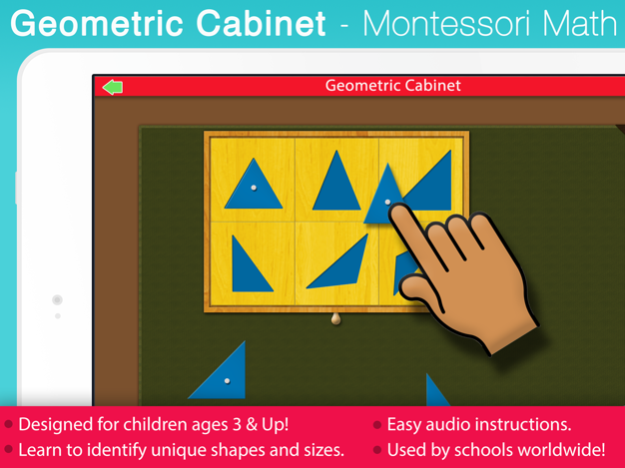

Mobile Montessori apps provide progressive learning activities designed by experts with over 40 years experience & currently has over 1 Million apps in schools worldwide!
***See a 3 year old girl in Japan learning geometry with our app: http://youtu.be/WiTCMrxGOZ8 ***
Introducing the Montessori Geometric Cabinet!
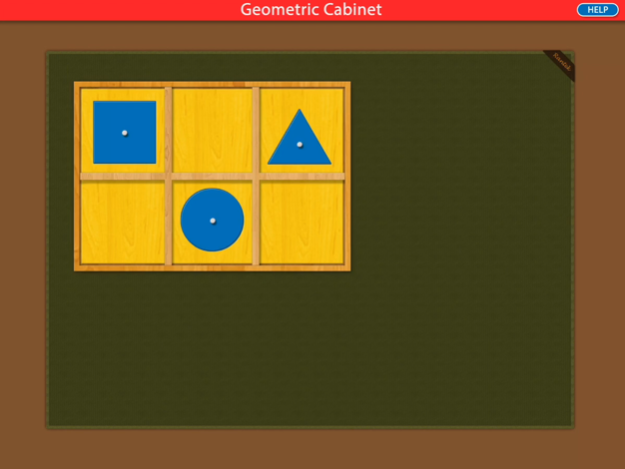
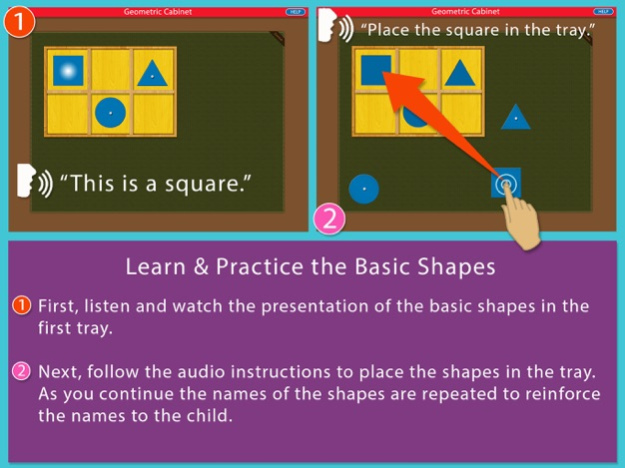
Learn to identify and name the geometric shapes using this time tested Montessori method. The materials presented in this app are exact replicas of the Montessori materials found in the classroom. The audio presentations and prompts will engage your child to follow along and complete the activities as they learn to identify the forms! The geometric cabinet along with the matching cards are part of the Montessori introduction to mathematics for young children.
A presentation tray and six trays of shapes are included. The name and identity of each shape are presented to the child before prompting them to place the insets back in the tray, one by one. The geometry cards are included to allow the child to play matching games that teach them to identify shapes in both solid and outline form.
This app was co-developed and approved by an AMI certified, Montessori teacher with over forty years experience teaching children!
We thank you for your support and feedback of our other Montessori applications! We have plenty more on the way!
Visit our website: http://www.mobilemontessori.org
Jun 25, 2020
Version 1.3
Updated for the latest iOS 13 release.
About Montessori Geometric Cabinet
The company that develops Montessori Geometric Cabinet is Rantek Inc.. The latest version released by its developer is 1.3.
To install Montessori Geometric Cabinet on your iOS device, just click the green Continue To App button above to start the installation process. The app is listed on our website since 2020-06-25 and was downloaded 0 times. We have already checked if the download link is safe, however for your own protection we recommend that you scan the downloaded app with your antivirus. Your antivirus may detect the Montessori Geometric Cabinet as malware if the download link is broken.
How to install Montessori Geometric Cabinet on your iOS device:
- Click on the Continue To App button on our website. This will redirect you to the App Store.
- Once the Montessori Geometric Cabinet is shown in the iTunes listing of your iOS device, you can start its download and installation. Tap on the GET button to the right of the app to start downloading it.
- If you are not logged-in the iOS appstore app, you'll be prompted for your your Apple ID and/or password.
- After Montessori Geometric Cabinet is downloaded, you'll see an INSTALL button to the right. Tap on it to start the actual installation of the iOS app.
- Once installation is finished you can tap on the OPEN button to start it. Its icon will also be added to your device home screen.
Program Details
System requirements
Download information
Pricing
Version History
version 1.3
posted on 2020-06-25
Jun 25, 2020
Version 1.3
Updated for the latest iOS 13 release.
Disclaimer
Official App Store Link
We do not host Montessori Geometric Cabinet on our servers. We did not scan it for viruses, adware, spyware or other type of malware. This app is hosted by Apple and passed their terms and conditions to be listed there. We recommend caution when installing it.
The App Store link for Montessori Geometric Cabinet is provided to you by apps112.com without any warranties, representations or guarantees of any kind, so access it at your own risk.
If you have questions regarding this particular app contact the publisher directly. For questions about the functionalities of apps112.com contact us.
